Home
New to robotics or Isaac? Learn the fundamentals first
We recommend starting with NVIDIA’s Robotics Fundamentals Learning Path. It covers simulation, ROS, OpenUSD, Isaac Sim, Isaac Lab, and sim-to-real in a structured order. Once you have that foundation, the tutorials on this site will be easier to follow.
Learning path home: Robotics Fundamentals · All courses: NVIDIA Learn
Get started
Recommended first tutorial
G1 standing with PPO — Train a Unitree G1 humanoid to stand on flat terrain using PPO in Isaac Lab.
Why start here? Standing is the simplest stable behavior: the robot learns to balance without walking or manipulation. You get a clear reward–policy loop and see results quickly. The same setup then extends to locomotion and other tasks.
In this lab you will: Create an Isaac Lab extension, define the standing task, register Gym envs, configure PPO, train the policy, and visualize the result. You need a working Isaac Lab install and basic Python/RL familiarity.
Before you start any tutorial
- Create an Isaac Lab project / workspace – A project folder (e.g. containing
g1_stand) with the structure expected by Isaac Lab (source/,scripts/, etc.). That path is<G1_STAND_ROOT>; you’ll run all tutorial commands from there. - Activate your Isaac Lab Python environment in the terminal you use for training and play scripts (see Isaac Sim / Isaac Lab installation docs).
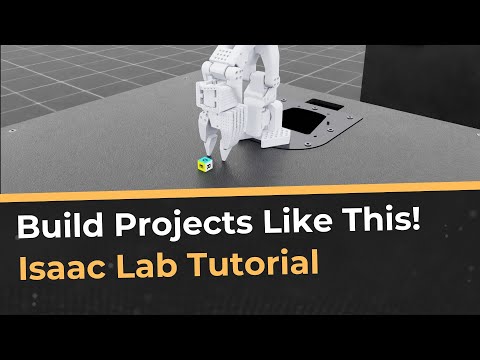
Video walkthrough: The video below walks through creating a project and activating the Isaac environment step by step. Click the thumbnail to open it on YouTube.
Prerequisites & official docs
If you haven’t installed Isaac Lab or Isaac Sim yet, use the official guides:
-
Isaac Sim documentation (installation & setup):
See the “Installation and Setup” section in the Isaac Sim docs:
https://docs.nvidia.com/isaac/isaac-sim -
Isaac Lab documentation (installation & usage):
See the “Installation” and “Getting Started” sections in the Isaac Lab docs:
https://isaac-sim.github.io/IsaacLab
For fundamental, step-by-step instruction on the Isaac ecosystem (Isaac Sim, Isaac Lab, robot learning, and sim-to-real), NVIDIA’s Robotics Fundamentals learning path is a good place to start:
Robotics Fundamentals Learning Path.
Hardware prerequisites
Isaac Sim and Isaac Lab have specific hardware requirements. For the full, up-to-date list (OS, CPU, RAM, GPU, VRAM, drivers), see the official docs:
- Isaac Sim system requirements:
Installation → Requirements (NVIDIA Omniverse / Isaac Sim docs)
In short: you need a supported NVIDIA GPU (with RT Cores), sufficient VRAM (e.g. 8GB+ for training), and enough system RAM. Isaac Lab training typically needs more RAM and VRAM than viewing-only use. If your machine is below the minimum specs, some tutorials may not run or you may need to reduce env count and batch size.
Right now, start with G1 standing with PPO (linked above). As you add more tutorials, they will appear under the Tutorials section and follow the same lab-style structure.
Use the sidebar (or the tabs above) to jump to a tutorial and follow the steps in order.